Starchild's AI agents join the Orderly module marketplace
TL;DR: The Starchild module is live in the Orderly module marketplace. Install it, and your users get a personal AI agent inside the trading interface, not in a separate tab. The agent analyzes markets, monitors positions, and executes strategies from a floating chat button that sits directly on the chart.
Every DEX builder wants the same thing: users who trade more.
Users who feel confident make more trades. Users who win trade with more size. More trades and bigger positions mean more fees, more revenue, and a platform that grows itself. The question is how you get there.
You get there by putting intelligence directly in the trading interface at the exact moment your users are making decisions, not in a separate tab or a chat window they have to switch to, but right there on the chart, one click away. When users can ask a question and get an answer without leaving the page, they trade more confidently. When they can check exposure, pull indicators, and set alerts without breaking focus, they stay on your platform longer. Confidence becomes activity, activity becomes volume, and volume becomes revenue.
The Starchild module for Orderly does this. It embeds a personal AI agent directly into the trading UI, so the agent sees what the user sees and acts where the user acts. Any DEX built on Orderly can install it through the Orderly module marketplace.
How the WOOFi Pro integration works
WOOFi Pro runs on Orderly's shared orderbook infrastructure. When the Starchild module is installed, a floating Starchild logo appears in the corner of the trading interface. Click it, and the agent launches in an overlay that sits on top of the chart, not in a new tab.
The overlay is dark-themed to match the exchange UI, keyboard accessible, and the floating button is draggable so users can position it anywhere on the screen.
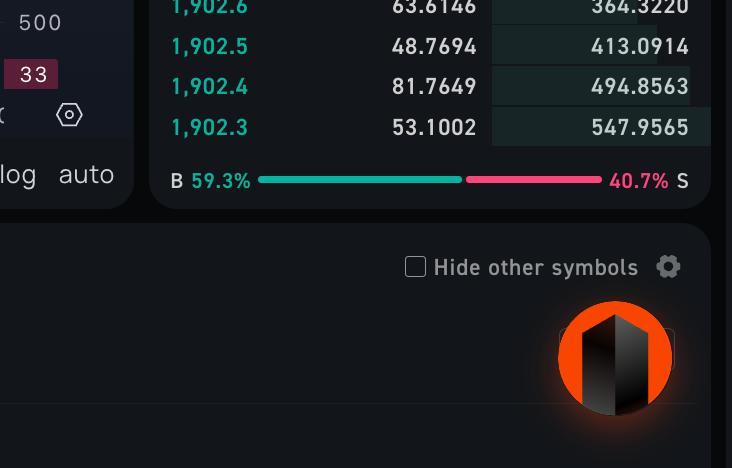
The floating Starchild button sits on the chart. Users drag it anywhere, click to expand the agent overlay.
What the agent does inside the UI
Once launched, the Starchild agent has access to more than 80 premium skills that cover the data and execution layer traders need:
- Real-time market data from CoinGecko, CoinGlass, DeFiLlama, and DeBank, pulled live on every request
- Technical analysis through TAAPI, covering RSI, MACD, Bollinger Bands, ADX, and 200+ indicators
- 24/7 strategy monitoring through custom agents that watch conditions and alert the user when thresholds are hit
- Scheduled tasks so users can set recurring alerts, automated checks, and timed strategies that run on their own
The agent routes tasks to the most efficient AI models available, keeping costs low. Users can bring their own API keys for any model, or use Starchild's included model allocation.
Single sign-on: your users skip the signup form
The module includes Sign in with Starchild, an OAuth-based single sign-on SDK. Users who already have a Starchild account click "Sign in with Starchild," approve access, and land directly inside the trading experience with their full agent intact: persistent memory, configured skills, and the workflows they already set up. No new password, no email verification, no profile setup.
New users get the same fast path. The SDK handles the browser login flow, token storage, automatic refresh, and cross-tab session sharing, so a first-time visitor can go from discovery to a working agent session in seconds. Your backend verifies each access token against Starchild's userinfo endpoint before granting access. Display names and avatars come from the user's Starchild identity, so the agent feels like theirs from the first click.
For DEX builders, this means lower drop-off at the onboarding step and returning users who bring their agent with them.
Install the Starchild module from the Orderly marketplace
Try it on WOOFi Pro today: look for the floating Starchild logo in the corner of the trading interface.