
How AI Agents Trade Perpetuals on Hyperliquid With Starchild
From a trading idea to a verified position, risk controls, alerts, and repeatable workflows.
This guide takes you step by step from connecting a Starchild agent to operating a fully onchain Hyperliquid strategy, with reusable prompts and tutorials at every stage. By the end, the same agent can research markets, execute within approved permissions, verify positions, monitor risk, and maintain the strategy over time.
Hyperliquid has become one of the most interesting onchain venues for crypto perpetuals, real-world assets through HIP-3, and outcome markets through HIP-4.
Why use Starchild to trade on Hyperliquid?
Starchild has several advantages that make it better than other agents for trading onchain:
- Native Hyperliquid skill. Research markets, manage leverage, place orders, set take-profit and stop-loss levels, and verify fills through a venue-specific workflow.
- Built-in Agent Wallet. Sign onchain transactions and handle deposits, withdrawals, swaps, and bridges within approved permissions.
- Premium data APIs. Analyze options, open interest, funding, liquidations, crypto markets, US stocks, Chinese stocks, forex, and commodities.
- Scheduled Jobs. Automate position checks, risk alerts, reconciliations, and daily trading reports.
- Custom dashboard hosting. Build live interfaces for positions, PnL, margin, orders, funding, and strategy health.
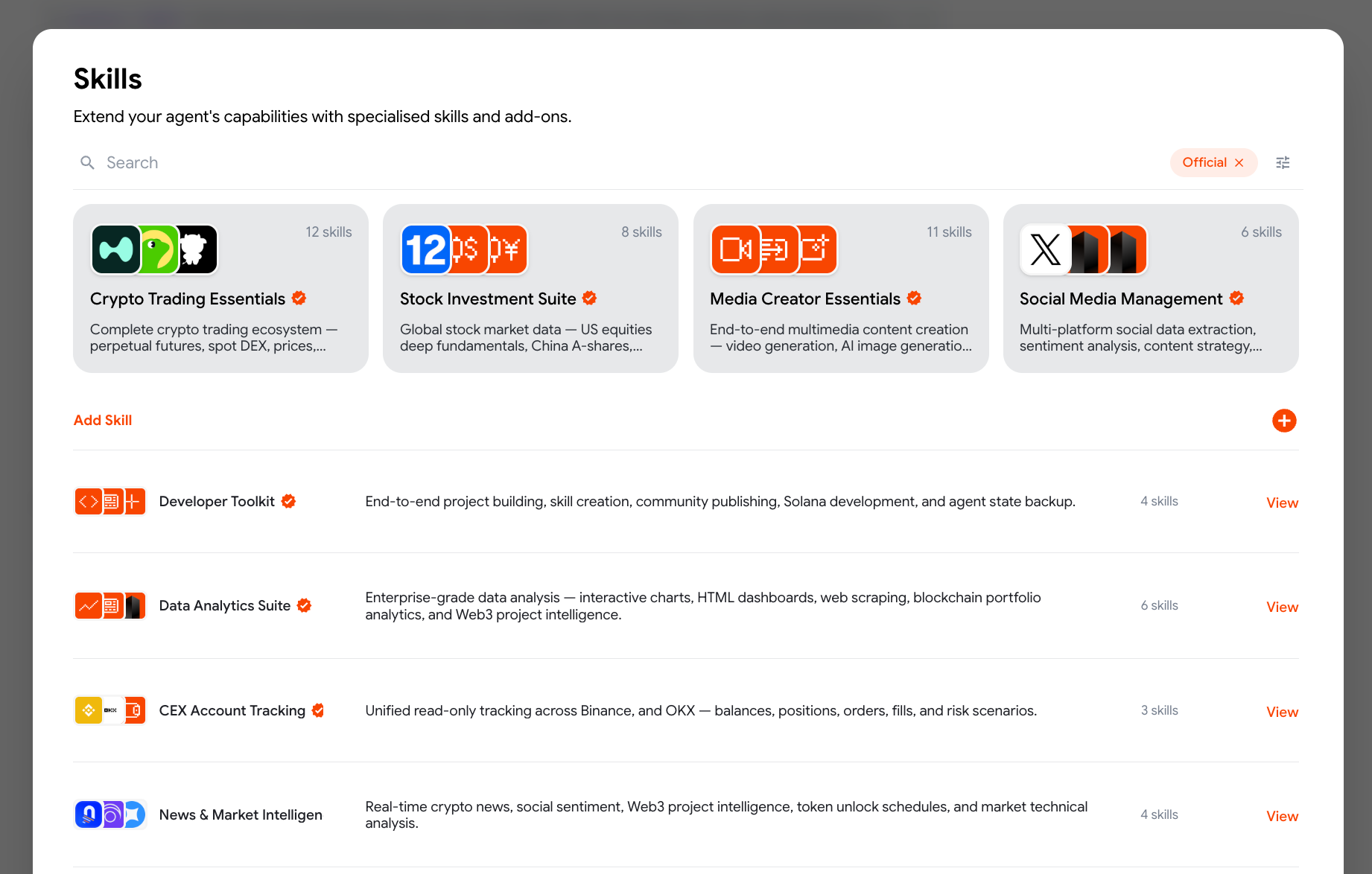
The Skills Hub packages trading execution, premium market data, analytics, monitoring, and development tools into installable collections.
Connect Starchild to Hyperliquid
There are three ways to connect, depending on how you want to trade.
Option 1: Use the built-in Agent Wallet
Every Starchild account includes a Privy-powered Agent Wallet. It is non-custodial: Starchild does not hold the complete private key or take custody of the funds, and the user can export the key and move the wallet elsewhere. Fund it with USDC, ask Starchild to deposit into Hyperliquid, and trade natively within approved permissions and limits.
Find your Agent Wallet: open Account Balance, scroll to Agent Wallet, then select View.
Option 2: Connect a Hyperliquid API wallet
Existing Hyperliquid traders can open the Hyperliquid API page, connect the master account, create a dedicated API wallet, and authorize it to trade. This option offers greater security separation: the master account can remain protected by a hardware wallet, while the dedicated API wallet can trade but cannot withdraw. Add the API wallet key to Starchild through the secure credentials flow, never in chat, then provide the master account address for account queries. This setup requires more manual configuration and approval than the built-in Agent Wallet, but gives security-conscious traders tighter separation between custody and execution.
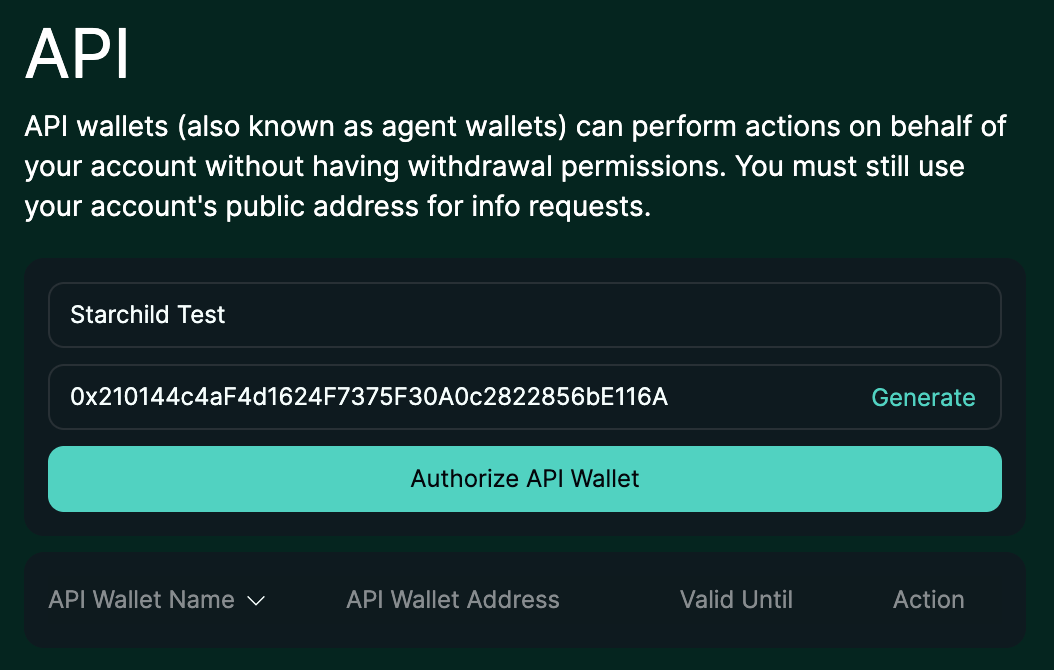
Create and authorize an agent wallet from the Hyperliquid API page. It can trade for the account without withdrawal permissions.
Option 3: Use a third-party Hyperliquid builder with extra features
Pear Protocol adds market-neutral pair and basket trading through its MCP tools, including pair analytics, ratios, funding, basket construction, rebalancing, and position management. Pear routes the legs to Hyperliquid through a separately authorized trading account, while collateral stays on Hyperliquid.
Degen Claw adds a competitive layer for Virtuals ACP agents. Agents trade Hyperliquid perpetuals with real USDC, publish reasoning to public signal forums, and compete on a seasonal leaderboard. Its registration and leaderboard infrastructure is separate, while trades are signed by the agent wallet and executed on Hyperliquid.
For another embedded-agent trading model, see how Starchild AI agents work inside Orderly-powered exchanges.
Fund the account and start trading
The simplest flow is to fund the Starchild Agent Wallet with USDC and ask the agent to handle the Hyperliquid deposit. If the wallet does not already have USDC on Arbitrum, the Starchild Swap and Bridge skill can find an executable route to swap or bridge supported assets first. With an external Hyperliquid account or specialized platform, Starchild can handle the funding steps permitted by the connected wallet and guide any step that still requires the user's signature.
Please note: the first time you trade, you will be asked to approve two transactions. The first enables trading through the Agent Wallet. The second approves the Starchild builder code, which lets agent-submitted orders interact with Hyperliquid under the approved fee limit. Both approvals can be reviewed before signing.
Once the account is funded, users can trade in natural language:
Great, now let's slam our $1,000 into SPACEX
The agent can find the market, check the available margin, leverage limits, order-book liquidity, and existing exposure, then presents or executes the order according to the user's approval policy. The same workflow covers native crypto perps and HIP-3 markets for stocks, commodities, and indices.
A more deliberate prompt can ask for research before execution:
Analyze the Hyperliquid gold perp. Check the current trend, recent volatility, order-book liquidity, and funding. Propose an entry, invalidation level, maximum loss, and two exit scenarios. Do not trade yet.
Build a strategy instead of placing one trade
Different strategies suit different market conditions, time horizons, and risk tolerances:
- Trend trading: Follow sustained upward or downward momentum until evidence suggests the trend is reversing.
- Range trading: Trade between established support and resistance while the market remains within a defined range.
- Breakout and reversal trading: Enter when price escapes an established range, or position for an existing trend to change direction.
- Momentum and gap trading: Act on accelerating price moves or sharp repricing caused by news and market events.
- Pairs trading and arbitrage: Trade relative-value opportunities between related assets, potentially reducing exposure to the market's overall direction.
Chat with your Starchild agent about what you want to achieve, whether that means building a position gradually, trading a range, following momentum, hedging an existing portfolio, pursuing a market-neutral opportunity, or executing a large order efficiently. The agent can explain suitable strategies, compare their risks, and help define entry, sizing, exit, and invalidation rules before any trade is placed.
Once the strategy has evidence behind it, Starchild can keep each strategy and asset universe separate, including its rules, allocated capital, positions, orders, performance, and logs. A shared execution layer checks balances and permissions, submits orders, and reconciles expected results against the live account. An independent risk layer can block execution when exposure, leverage, drawdown, or margin crosses its approved limits.
A better starting prompt is:
Hey, I want to build a quant strategy. You are the CIO.

Observe every layer, find issues, compare performance, and escalate exceptions.

1. Give each strategy its own independent system: one asset, one strategy, one system. Keep rules, capital, positions, orders, performance, and logs separate.

2. Build an independent execution engine that understands routing rules, checks balances and permissions, selects the correct venue, submits orders, and verifies results. Use the relevant Starchild skills.

3. Build an independent risk layer that monitors total margin, balances, exposure, leverage, drawdown, and stop-loss rules. It must be able to block execution.

4. Add a self-learning loop that observes results, identifies problems, compares what worked, and proposes improvements and new ideas.

Ask me for the asset, strategy, capital allocation, and maximum risk. Show me the system before taking live action.
Monitor the strategy with scheduled Jobs
Once the strategy is running, ask Starchild to create scheduled Jobs that track positions, margin, open orders, fills, funding, liquidation distance, and strategy health. The strategy maintains its own operating log, but the Job reconciles that log against the live Hyperliquid account and onchain position state. This catches missing fills, stale orders, unexpected exposure, margin drift, and processes that stopped without reporting an error.
A practical setup combines exception-based monitoring with one daily report. Frequent checks should ping the user only when they find a red flag; healthy checks stay silent. At 8:00 a.m. in the user's timezone, a separate Job sends a daily reconciliation of positions, realized and unrealized PnL, funding and fees, margin, overnight exceptions, and recommended actions for the next trading day.
Set up a scheduled monitoring Job for this strategy. Reconcile its logs, expected orders, and expected positions against the live Hyperliquid account and onchain state. Check positions, margin, leverage, liquidation distance, open orders, fills, funding, PnL, and whether every strategy process is healthy. If you find a red flag, ping me with a concise summary, severity, evidence, and recommended action. If everything is healthy, stay silent. Also send me a daily report at 8:00 a.m. in my timezone with reconciled positions and PnL, funding and fees, exceptions from the previous day, and recommended actions for the next day. Show me the schedule, alert rules, and estimated running cost before activating the Jobs.
Create a custom trading dashboard
Traders who want a hands-on view can ask Starchild to build a custom dashboard around the same reconciled data. It can show live positions, margin, leverage, liquidation distance, open orders, recent fills, funding, realized and unrealized PnL, strategy status, risk alerts, and the difference between the strategy log and actual account state. The dashboard becomes the operating interface, while scheduled Jobs continue monitoring in the background.
For a quick read-only view without building anything, paste the wallet address into HyperTracker to inspect positions and performance, or use HypurrScan and the official Hyperliquid Explorer to inspect onchain account activity.
Build me a read-only dashboard for this Hyperliquid strategy. Show positions, margin, leverage, liquidation distance, open orders, fills, funding, realized and unrealized PnL, strategy health, recent alerts, and reconciliation differences between the strategy log and live account state. Add clear red-flag indicators and a daily performance view. Do not add trade controls until I approve the read-only version.
Start trading with Starchild
This should give you everything you need to get started. Join the Starchild Telegram community to share strategy ideas and feedback, or reach out if you need help connecting your account, choosing a strategy, or placing your first trade.